Artificial intelligence as partner

Some notes on artificial intelligence, technology as partner and related user interface design challenges. Mostly notes to self, not sure I am adding much to the debate. Just summarising what I think is important to think about more. Warning: Dense with links.
Matt Jones writes about how artificial intelligence does not have to be a slave, but can also be partner.

I’m personally much more interested in machine intelligence as human augmentation rather than the oft-hyped AI assistant as a separate embodiment.

I would add a third possibility, which is AI as master. A common fear we humans have and one I think only growing as things like AlphaGo and new Boston Dynamics robots keep happening.

I have had a tweet pinned to my timeline for a while now, which is a quote from Play Matters.

“tech­no­logy is not a ser­vant or a mas­ter but a source of expres­sion, a way of being”

So this idea actually does not just apply to AI but to tech in general. Of course, as tech gets smarter and more independent from humans, the idea of a ‘third way’ only grows in importance.

More tweeting. A while back, shortly after AlphaGo’s victory, James tweeted:

On the one hand, we must insist, as Kasparov did, on Advanced Go, and then Advanced Everything Else https://en.wikipedia.org/wiki/Advanced_Chess

Advanced Chess is a clear example of humans and AI partnering. And it is also an example of technology as a source of expression and a way of being.

Also, in a WIRED article on AlphaGo, someone who had played the AI repeatedly says his game has improved tremendously.

So that is the promise: Artificially intelligent systems which work together with humans for mutual benefit.

Now of course these AIs don’t just arrive into the world fully formed. They are created by humans with particular goals in mind. So there is a design component there. We can design them to be partners but we can also design them to be masters or slaves.

As an aside: Maybe AIs that make use of deep learning are particularly well suited to this partner model? I do not know enough about it to say for sure. But I was struck by this piece on why Google ditched Boston Dynamics. There apparently is a significant difference between holistic and reductionist approaches, deep learning being holistic. I imagine reductionist AI might be more dependent on humans. But this is just wild speculation. I don’t know if there is anything there.
This insistence of James on “advanced everything else” is a world view. A politics. To allow ourselves to be increasingly entangled with these systems, to not be afraid of them. Because if we are afraid, we either want to subjugate them or they will subjugate us. It is also about not obscuring the systems we are part of. This is a sentiment also expressed by James in the same series of tweets I quoted from earlier:

These emergences are also the best model we have ever built for describing the true state of the world as it always already exists.

And there is overlap here with ideas expressed by Kevin in ‘Design as Participation’:

[W]e are no longer just using computers. We are using computers to use the world. The obscured and complex code and engineering now engages with people, resources, civics, communities and ecosystems. Should designers continue to privilege users above all others in the system? What would it mean to design for participants instead? For all the participants?

AI partners might help us to better see the systems the world is made up of and engage with them more deeply. This hope is expressed by Matt Webb, too:

with the re-emergence of artificial intelligence (only this time with a buddy-style user interface that actually works), this question of “doing something for me” vs “allowing me to do even more” is going to get even more pronounced. Both are effective, but the first sucks… or at least, it sucks according to my own personal politics, because I regard individual alienation from society and complex systems as one of the huge threats in the 21st century.

I am reminded of the mixed-initiative systems being researched in the area of procedural content generation for games. I wrote about these a while back on the Hubbub blog. Such systems are partners of designers. They give something like super powers. Now imagine such powers applied to other problems. Quite exciting.

Actually, in the aforementioned article I distinguish between tools for making things and tools for inspecting possibility spaces. In the first case designers manipulate more abstract representations of the intended outcome and the system generates the actual output. In the second case the system visualises the range of possible outcomes given a particular configuration of the abstract representation. These two are best paired.

From a design perspective, a lot remains to be figured out. If I look at those mixed-initiative tools I am struck by how poorly they communicate what the AI is doing and what its capabilities are. There is a huge user interface design challenge there.

For stuff focused on getting information, a conversational UI seems to be the current local optimum for working with an AI. But for tools for creativity, to use the two-way split proposed by Victor, different UIs will be required.

What shape will they take? What visual language do we need to express the particular properties of artificial intelligence? What approaches can we take in addition to personifying AI as bots or characters? I don’t know and I can hardly think of any good examples that point towards promising approaches. Lots to be done.

Prototyping in the browser

When you are designing a web site or web app I think you should prototype in the browser. Why? You might as well ask why prototype at all. Answer: To enable continuous testing and refinement of your design. Since you are designing for the web it makes sense to do this testing and refinement with an artefact composed of the web’s material.

There are many ways to do prototyping. A common way is to make wireframes and then make them ‘clickable’. But when I am designing a web site or a web app and I get to the point where it is time to do wireframes I often prefer to go straight to the browser.

Before this step I have sketched out all the screens on paper of course. I have done multiple sketches of each page. I’ve had them critiqued by team members and I have reworked them.

Drawing pictures of web pages

But then I open my drawing program—Sketch, in my case—and my heart sinks. Not because Sketch sucks. Sketch is great. But it somehow feels wrong to draw pictures of web pages on my screen. I find it cumbersome. My drawing program does not behave like a browser. That is to say in stead of defining a bunch of rules for elements and having the browser figure out how to render them on a page together I need to follow those rules myself in my head as I put each element in its place.

And don’t get me started on how wireframes are supposed to be without visual design. That is nonsense. If you are using contrast, repetition, alignment and proximity, you are doing layout. That is visual design. I can’t stand wireframes with a bad visual hierarchy.

If I persevere, and I have a set of wireframes in my drawing program, they are static. I can’t use them. I then need to export them to some other often clunky program to make the pictures clickable. Which always results in a poor resemblance of the actual experience. (I use Marvel. It’s okay but it is hardly a joy to use. For mobile apps I still use it, for web sites I prefer not to.)

Prototyping in the browser

When I prototype in the browser I don’t have to deal with these issues. I am doing layout in a way that is native to the medium. And once I have some pages set up they are immediately usable. So I can hand it to someone, a team member or a test participant, and let them play with it.

That is why, for web sites and web apps, I skip wireframes altogether and prototype in the browser. I do not know how common this is in the industry nowadays. So I thought I would share my approach here. It may be of use to some.

It used to be the case that it was quite a bit of hassle to get up and running with a browser prototype so naturally opening a drawing package seemed more attractive. Not so anymore. Tools have come a long way. Case in point: My setup nowadays involves zero screwing around on the command line.

CodeKit

The core of it is a paid-for Mac app called CodeKit, a so-called task manager. It allows you to install a front-end development framework I like called Zurb Foundation with a couple of clicks and has a built in web server so you can play with your prototype on any device on your local network. As you make changes to the code of your prototype it gets automatically updated on all your devices. No more manual refreshing. Saves a huge amount of time.

I know you can do most of what CodeKit does for you with stuff like Grunt but that involves tedious configuration and working the command line. This is fine when you’re a developer, but not fine when you are a designer. I want to be up and running as fast as possible. CodeKit allows me to do that and has some other features built in that are ideal for prototyping which I will talk about more below. Long story short: CodeKit has saved me a huge amount of time and is well worth the money.

Okay so on with the show. Yes, this whole prototyping in the browser thing involves ‘coding’. But honestly, if you can’t write some HTML and CSS you really shouldn’t be doing design for the web in the first place. I don’t care if you consider yourself a UX designer and somehow above all this lowly technical stuff. You are not. Nobody is saying you should become a frontend developer but you need to have an acquaintance with the materials your product is made of. Follow a few courses on Codecadamy or something. There really isn’t an excuse anymore these days for not knowing this stuff. If you want to level up, learn SASS.

Zurb Foundation

I like Zurb Foundation because it offers a coherent and comprehensive library of elements which covers almost all the common patterns found in web sites and apps. It offers a grid and some default typography styles as well. All of it doesn’t look flashy at all which is how I like it when I am prototyping. A prototype at this stage does not require personality yet. Just a clear visual hierarchy. Working with Foundation is almost like playing with LEGO. You just click together the stuff you need. It’s painless and looks and works great.

I hardly do any styling but the few changes I do want to make I can easily add to Foundation’s app.scss using SASS. I usually have a few styles in there for tweaking some margins on particular elements, for example a footer. But I try to focus on the structure and behaviour of my pages and for that I am mostly doing HTML.

GitHub

Testing locally I already mentioned. For that, CodeKit has you covered. Of course, you want to be able to share your prototype with others. For this I like to use GitHub and their Pages feature. Once again, using their desktop client, this involves zero command line work. You just add the folder with your CodeKit project as a new repository and sync it with GitHub. Then you need to add a branch named ‘gh-pages’ and do ‘update from master’. Presto, your prototype is now on the web for anyone with the URL to see and use. Perfect if you’re working in a distributed team.

Don’t be intimidated by using GitHub. Their on-boarding is pretty impressive nowadays. You’ll be up and running in no time. Using version control, even if it is just you working on the prototype, adds some much needed structure and control over changes. And when you are collaborating on your prototype with team members it is indispensable.

But in most cases I am the only one building the prototype so I just work on the master branch and once every while I update the gh-pages branch from master and sync it and I am done. If you use Slack you can add a GitHub bot to a channel and have your team members receive an automatic update every time you change the prototype.

The Kit Language

If your project is of any size beyond the very small you will likely have repeating elements in your design. Headers, footers, recurring widgets and so on. CodeKit has recently added support for something called the Kit Language. This adds support for imports and variables to regular HTML. It is absolutely great for prototyping. For each repeating element you create a ‘partial’ and import it wherever you need it. Variables are great for changing the contents of such repeating elements. CodeKit compiles it all into plain static HTML for you so your prototype runs anywhere.

The Kit Language really was the missing piece of the puzzle for me. With it in place I am very comfortable recommending this way of working to anyone.

So that’s my setup: CodeKit, Zurb Foundation and GitHub. Together they make for a very pleasant and productive way to do prototyping in the browser. I don’t imagine myself going back to drawing pictures of web pages anytime soon.

Writing for conversational user interfaces

Last year at Hubbub we worked on two projects featuring a conversational user interface. I thought I would share a few notes on how we did the writing for them. Because for conversational user interfaces a large part of the design is in the writing.

At the moment, there aren’t really that many tools well suited for doing this. Twine comes to mind but it is really more focused on publishing as opposed to authoring. So while we were working on these projects we just grabbed whatever we were familiar with and felt would get the job done.

I actually think there is an opportunity here. If this conversational ui thing takes off designers would benefit a lot from better tools to sketch and prototype them. After all this is the only way to figure out if a conversational user interface is suitable for a particular project. In the words of Bill Buxton:

“Everything is best for something and worst for something else.”

Okay so below are my notes. The two projects are KOKORO (a codename) and Free Birds. We have yet to publish extensively on both, so a quick description is in order.

KOKORO is a digital coach for teenagers to help them manage and improve their mental health. It is currently a prototype mobile web app not publicly available. (The engine we built to drive it is available on GitHub, though.)

Free Birds (Vrije Vogels in Dutch) is a game about civil liberties for families visiting a war and resistance museum in the Netherlands. It is a location-based iOS app currently available on the Dutch app store and playable in Airborne Museum Hartenstein in Oosterbeek.


For KOKORO we used Gingko to write the conversation branches. This is good enough for a prototype but it becomes unwieldy at scale. And anyway you don’t want to be limited to a tree structure. You want to at least be able to loop back to a parent branch, something that isn’t supported by Gingko. And maybe you don’t want to use the branching pattern at all.

Free Birds’s story has a very linear structure. So in this case we just wrote our conversations in Quip with some basic rules for formatting, not unlike a screenplay.

In Free Birds player choices ‘colour’ the events that come immediately after, but the path stays the same.

This approach was inspired by the Walking Dead games. Those are super clever at giving players a sense of agency without the need for sprawling story trees. I remember seeing the creators present this strategy at PRACTICE and something clicked for me. The important point is, choices don’t have to branch out to different directions to feel meaningful.

KOKORO’s choices did have to lead to different paths so we had to build a tree structure. But we also kept track of things a user says. This allows the app to “learn” about the user. Subsequent segments of the conversation are adapted based on this learning. This allows for more flexibility and it scales better. A section of a conversation has various states between which we switch depending on what a user has said in the past.

We did something similar in Free Birds but used it to a far more limited degree, really just to once again colour certain pieces of dialogue. This is already enough to give a player a sense of agency.


As you can see, it’s all far from rocket surgery but you can get surprisingly good results just by sticking to these simple patterns. If I were to investigate more advanced strategies I would look into NLP for input and procedural generation for output. Who knows, maybe I will get to work on a project involving those things some time in the future.

Hardware interfaces for tuning the feel of microinteractions

In Digital Ground Malcolm McCullough talks about how tuning is a central part of interaction design practice. How part of the challenge of any project is to get to a point where you can start tweaking the variables that determine the behaviour of your interface for the best feel.

“Feel” is a word I borrow from game design. There is a book on it by Steve Swink. It is a funny term. We are trying to simulate sensations that are derived from the physical realm. We are trying to make things that are purely visual behave in such a way that they evoke these sensations. There are many games that heavily depend on getting feel right. Basically all games that are built on a physics simulation of some kind require good feel for a good player experience to emerge.

Physics simulations have been finding their way into non-game software products for some time now and they are becoming an increasing part of what makes a product, er, feel great. They are often at the foundation of signature moments that set a product apart from the pack. These signature moments are also known as microinteractions. To get them just right, being able to tune well is very important.

The behaviour of microinteractions based on physics simulations is determined by variables. For example, the feel of a spring is determined by the mass of the weight attached to the spring, the spring’s stiffness and the friction that resists the motion of the weight. These variables interact in ways that are hard to model in your head so you need to make repeated changes to each variable and try the simulation to get it just right. This is time-consuming, cumbersome and resists the easy exploration of alternatives essential to a good design process.

In The Setup game designer Bennett Foddy talks about a way to improve on this workflow. Many of his games (if not all of them) are playable physics simulations with punishingly hard controls. He suggests using a hardware interface (a MIDI controller) to tune the variables that determine the feel of his game while it runs. In this way the loop between changing a variable and seeing its effect in game is dramatically shortened and many different combinations of values can be explored easily. Once a satisfactory set of values for the variables has been found they can be written back to the software for future use.

I do believe such a setup is still non-trivial to make work with todays tools. A quick check verifies that Framer does not have OSC support, for example. There is an opportunity here for prototyping environments such as Framer and others to support it. The approach is not limited to motion-based microinteractions but can be extended to the tuning of variables that control other aspects of an app’s behaviour.

For example, when we were making Standing, we would have benefited hugely from hardware controls to tweak the sensitivity of its motion-sensing functions as we were using the app. We were forced to do it by repeatedly changing numbers in the code and building the app again and again. It was quite a pain to get right. To this day I have the feeling we could have made it better if only we would have had the tools to do it.

Judging from snafus such as the poor feel of the latest Twitter desktop client, there is a real need for better tools for tuning microinteractions. Just like pen tablets have become indispensable for those designing the form of user interfaces on screens. I think we might soon find a small set of hardware knobs on the desks of those designers working on the behaviour of user interfaces.

Design without touching the surface

I am preparing two classes at the moment. One is an introduction to user experience design, the other to user interface design. I did not come up with this division, it was part of the assignment. I thought it was odd at first. I wasn’t sure where one discipline ends and the other begins. I still am not sure. But I made a pragmatic decision to have the UX class focus on the high level process of designing (software) products, and the UI class focus on the visual aspects of a product’s interface. The UI class deals with a product’s surface, form, and to some extent also its behaviour, but on a micro level. Whereas the UX class focuses on behaviour on the macro level. Simply speaking—the UX class is about behaviour across screens, the UI class is about behaviour within screens.

The solution is workable. But I am still not entirely comfortable with it. I am not comfortable with the idea of being able to practice UX without ‘touching the surface’, so to speak. And it seems my two classes are advocating this. Also, I am pretty sure this is everyday reality for many UX practitioners. Notice I say “practitioner”, because I am not sure ‘designer’ is the right term in these cases. To be honest I do not think you can practice design without doing sketching and prototyping of some sort. (See Bill Buxton’s ‘Sketching User Experiences’ for an expanded argument on why this is.) And when it comes to designing software products this means touching the surface, the form.

Again, the reality is, ‘UX designer’ and ‘UI designer’ are common terms now. Certainly here in Singapore people know they need both to make good products. Some practitioners say they do both, others one or the other. The latter appears to be the most common and expected case. (By the way, in Singapore no-one I’ve met talks about interaction design.)

My concern is that by encouraging the practice of doing UX design without touching the surface of a product, we get shitty designs. In a process where UX and UI are seen as separate things the risk is one comes before the other. The UX designer draws the wireframes, the UI designer gets to turn them into pretty pictures, with no back-and-forth between the two. An iterative process can mitigate some of the damage such an artificial division of labour produces, but I think we still start out on the wrong foot. I think a better practice might entail including visual considerations from the very beginning of the design process (as we are sketching).

Two things I came across as I was preparing these classes are somehow in support of this idea. Both resulted from a call I did for resources on user interface design. I asked for books about visual aspects, but I got a lot more.

  1. In ‘Magic Ink’ Bret Victor writes about how the design of information software is hugely indebted to graphic design and more specifically information design in the tradition of Tufte. (He also mentions industrial design as an equally big progenitor of interaction design, but for software that is mainly about manipulation, not information.) The article is big, but the start of it is actually a pretty good if unorthodox general introduction to interaction design. For software that is about learning through looking at information Victor says interaction should be a last resort. So that leaves us with a task that is 80% if not more visual design. Touching the surface. Which makes me think you might as well get to it as quickly as possible and start sketching and prototyping aimed not just at structure and behaviour but also form. (Hat tip to Pieter Diepenmaat for this one.)

  2. In ‘Jumping to the End’ Matt Jones rambles entertainingly about design fiction. He argues for paying attention to details and that a lot of the design he practices is about ‘signature moments’ aka micro-interactions. So yeah, again, I can’t imagine designing these effectively without doing sketching and prototyping of the sort that includes the visual. And in fact Matt mentions this more or less at one point, when he talks about the fact that his team’s deliverables at Google are almost all visual. They are high fidelity mockups, animations, videos, and so on. These then become the starting points for further development. (Hat tip to Alexander Zeh for this one.)

In summary, I think distinguishing UX design from UI design is nonsense. Because you cannot practice design without sketching and prototyping. And you cannot sketch and prototype a software product without touching its surface. In stead of taking visual design for granted, or talking about it like it is some innate talent, some kind of magical skill some people are born with and others aren’t, user experience practitioners should consider being less enamoured with acquiring more skills from business, marketing and engineering and in stead practice at the skills that define the fields user experience design is indebted to the most: graphic design and industrial design. In other words, you can’t do user experience design without touching the surface.

My plans for 2016

Long story short: my plan is to make plans.

Hubbub has gone into hibernation. After more than six years of leading a boutique playful design agency I am returning to freelance life. At least for the short term.

I will use the flexibility afforded by this freeing up of time to take stock of where I have come from and where I am headed. ‘Orientation is the Schwerpunkt,’ as Boyd says. I have definitely cycled back through my meta-OODA-loop and am firmly back in the second O.

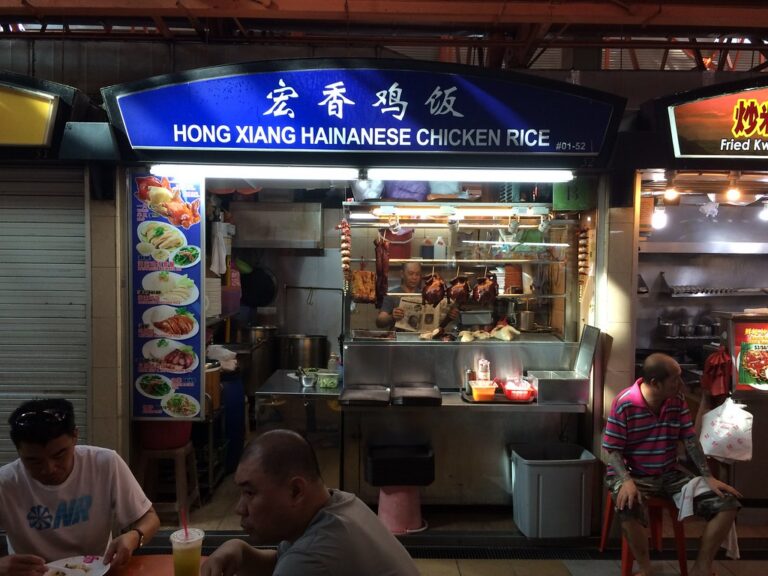
To make things more interesting I have exchanged the Netherlands for Singapore. I will be here until August. It is going to be fun to explore the things this city has to offer. I am curious what the technology and design scene is like when seen up close. So I hope to do some work locally.

I will take on short commitments. Let’s say no longer than two to three months. Anything goes really, but I am particularly interested in work related to creativity and learning. I am also keen on getting back into teaching.

So if you are in Singapore, work in technology or design and want to have a cup of coffee. Drop me a line.

Happy 2016!

2015

https://flic.kr/p/pQggei[/embed]

https://flic.kr/p/qzYVHC[/embed]

https://flic.kr/p/qStsxL[/embed]

https://flic.kr/p/qMDXKv[/embed]

https://flic.kr/p/rUMUNE[/embed]

https://flic.kr/p/rEuE37[/embed]

https://flic.kr/p/rEvYxU[/embed]

https://flic.kr/p/usHtdA[/embed]

https://flic.kr/p/uy9A4h[/embed]

https://flic.kr/p/uQJMCx[/embed]

https://flic.kr/p/u35CdG[/embed]

https://flic.kr/p/uYCd3N[/embed]

https://flic.kr/p/vBnPf2[/embed]

https://flic.kr/p/vjVRfg[/embed]

https://flic.kr/p/vqCWjS[/embed]

https://flic.kr/p/wa2vDL[/embed]

https://flic.kr/p/wqEhQ9[/embed]

https://flic.kr/p/vw6YWr[/embed]

https://flic.kr/p/wMaUQ7[/embed]

https://flic.kr/p/yxcxbS[/embed]

https://flic.kr/p/yPNo9z[/embed]

https://flic.kr/p/yNRx2w[/embed]

https://flic.kr/p/yxfwGj[/embed]

https://flic.kr/p/xSPnRY[/embed]

https://flic.kr/p/CwirP5[/embed]

https://flic.kr/p/CwiALo[/embed]

https://flic.kr/p/CDyRtb[/embed]

https://flic.kr/p/CFSvjz[/embed]

https://flic.kr/p/CwjuqW[/embed]

https://flic.kr/p/BJur8R[/embed]

https://flic.kr/p/CyzAMk[/embed]

https://flic.kr/p/C8o5EB[/embed]

https://flic.kr/p/CFTbmc[/embed]

https://flic.kr/p/CeL21d[/embed]

https://flic.kr/p/BJuX1B[/embed]

https://flic.kr/p/BJnxwN[/embed]

https://flic.kr/p/BJv5GP[/embed]

https://flic.kr/p/C8oCWv[/embed]

https://flic.kr/p/CyAgFx[/embed]

https://flic.kr/p/CyAic8[/embed]

https://flic.kr/p/Cwnivy[/embed]

https://flic.kr/p/BJvDe2[/embed]

https://flic.kr/p/CwkTJ7[/embed]

https://flic.kr/p/BJwyax[/embed]

https://flic.kr/p/C8pTa8[/embed]

https://flic.kr/p/BJpcRb[/embed]

https://flic.kr/p/C8pYR8[/embed]

https://flic.kr/p/CFX5G8[/embed]

https://flic.kr/p/CeMRyJ[/embed]

https://flic.kr/p/C8q9Hn[/embed]

https://flic.kr/p/CDBCa1[/embed]

https://flic.kr/p/CyBX3r[/embed]

https://flic.kr/p/CwnFBC[/embed]

https://flic.kr/p/BJxJNK[/embed]

https://flic.kr/p/BJxxN8[/embed]

Books I’ve read in 2015

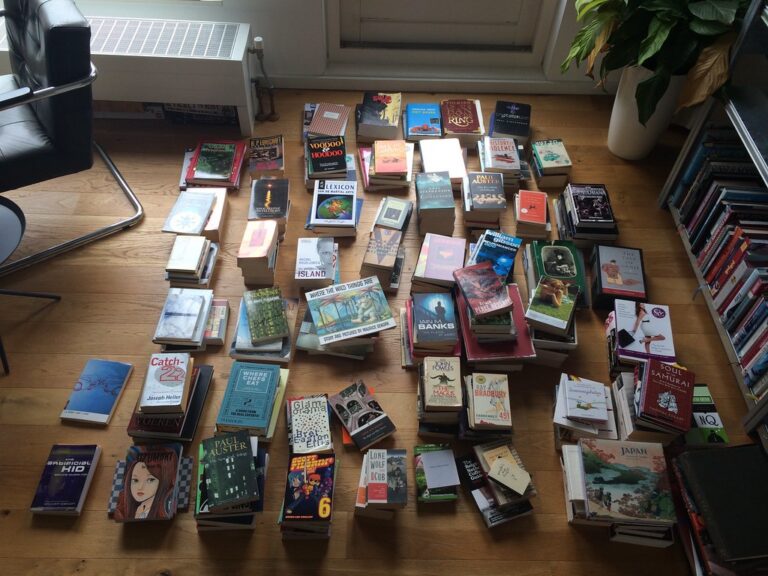
On this final day of the year let’s do some more looking back. The last time I posted books read was in 2011. But that doesn’t mean I stopped reading. On the contrary.

Goodreads tells me I read 36 books in 2015, which was the goal I set myself for this year. I will admit not all of these are big reads. Some are short pamphlets and there is also a comic or two thrown in.

I think I am going to stick with this target for next year and I will also stick with reading widely. A few books were read because of a project at Hubbub for which I felt the need to delve more deeply in the subject matter. This is a good way to stretch intellectually. I also started experimenting with asking people who know me personally what novel I should read next which has led to some delightful discoveries. So I will continue to do that too.

Anyway, here they are in order of date read. Particular favourites are marked with a ❤️. I’ve written short reviews for most of these so I’ve provided links to those too.

“Orientation is the Schwerpunkt”

Putting this here so I can point to it. Such an important concept that has really changed the way I approach decision making. I used to operate in something like an observe-decide-act manner. But understanding that you can orient to change your options is crucial for the ability to win.

Orientation is the Schwerpunkt. It shapes the way we interact with the environment – hence orientation shapes the way we observe, the way we decide, the way we act.

Orientation shapes the character of present observation-orientation-decision-action loops – while these present loops shape the character of future orientation.

—John Boyd, Organic Design for Command and Control

Favourite music albums of 2015

Well what do you know, a blog post. Because looking back is the thing people do this time of year and I actually have the luxury of time to look back for a change, I thought I’d compile a list of albums I enjoyed listening to in 2015 that were also released in 2015.

There were quite a few albums I listened to this year that weren’t released in 2015. Those don’t show up here. If you’re curious, there is always Last.fm. Most notably, I discovered The Hold Steady through BEE and got seriously hooked on ‘Boys And Girls In America’. Some of the best rock music made this side of ‘Born in the U.S.A.’, if you ask me.

Anyway, here is a list of the 15 albums from 2015 that I listened to the most, in order of number of plays. A ❤️ denotes a particular favourite. If you want to have a listen, here’s a Spotify playlist.

  1. DJ Koze – DJ Kicks ❤️ (Just a flawless mix of delightful tunes that lift the spirit.)
  2. Blur – The Magic Whip ❤️ (Lyrically interesting, sonically a kind of review or repetition of their whole oeuvre. Atmospherically I think they captured the spirit of the times quite well.)
  3. Tame Impala – Currents (The falsetto gets on my nerves some times, but the opening tracks have an irresistible groove to them.)
  4. Courtney Barnett – Sometimes I Sit and Think, and Sometimes I Just Sit ❤️ (Strong contender for album of the year. Funny, imaginative lyrics and music that simply rocks.)
  5. Kurt Vile – b’lieve i’m goin down… ❤️ (It is kind of amazing to me how Vile keeps churning out one great record after an other. This is his most optimistic to date.)
  6. Jamie XX – In Colour (There are a few letdowns on this one preventing it to be the kind of dance music album you play on repeat.)
  7. Kendrick Lamar – To Pimp A Butterfly (All over the place. I dig the nods to P-Funk.)
  8. Everything Everything – Get To Heaven (I binged on this in July and have hardly listened to it since because of the love hate relationship with the singer’s voice. But this remains delightfully eclectic and energetic.)
  9. Dr. Dre – Compton (Not available on Spotify but I mention it here because I enjoyed the return to uncomplicated west side hiphop it offers.)
  10. Carly Rae Jepsen – Emotion (Obligatory guilty pleasure. Each year I get hooked on one of these female pop stars. This was Carly Rae’s year.)
  11. Miguel – Wildheart (Easily the best R&B album of the year. Versatile, sexy, musically interesting.)
  12. Royal Headache – High (Great throwback to punk that sounds fresh at the same time. Great lyrics.)
  13. Destroyer – Poison Season (Wasn’t so sure about this one until seeing them live (again) at Le Guess Who? and now that I’ve heard the songs live I understand what they’re trying to do here. These songs are meant to sound BIG.)
  14. Deerhunter – Fading Frontier ❤️ (Another album of the year hopeful. Most accessible album of a band that continues to fascinate. Musically and lyrically imaginative and exciting.)
  15. Majical Cloudz – Are You Alone? (I return to this for its intimate atmosphere.)

Honorary mentions:

I should have listened to these more but somehow didn’t. Here they are in no particular order.

  • Lower Dens – Escape From Evil
  • Ought – Sun Coming Down
  • Beach House – Depression Cherry
  • Kelela – Hallucinogen
  • FKA twigs – M3LL155X
  • Ratking – 700 Fill